


Copilot Workspaces, Autopilot, Microsoft IQ and Microsoft Perception headline the company’s push to build a frontier ecosystem
One year after it introduced the idea of “Frontier Transformation” at Ignite 2025, Microsoft used its Microsoft Ignite 2026 keynote to describe what comes next. The company now talks about a “frontier ecosystem” built on three traits. The first is human ambition, the second is organizational intelligence, and the third is trust. CEO Satya Nadella told attendees that people should stay at the center of the strategy, that organizations should own their intelligence and learning, and that none of it works without trust.
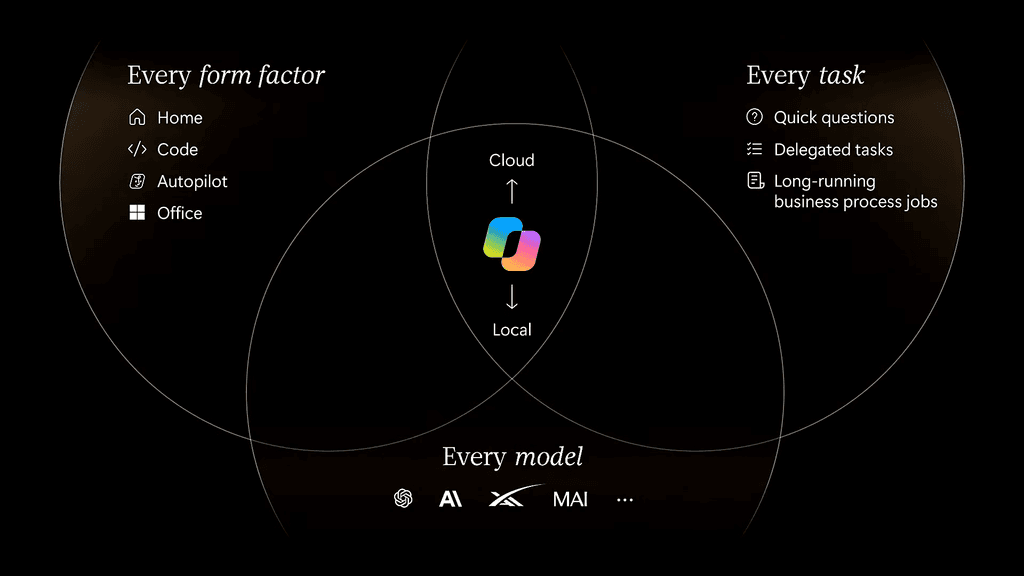
Below is a breakdown of the biggest announcements, from a reworked Copilot and the new Microsoft IQ platform to agent security in Windows and fresh Azure infrastructure.
Copilot becomes the operating system for work
The biggest change on the productivity side is a rethink of Copilot itself. Microsoft is positioning it less as a chat assistant and more as a workspace where people and AI agents collaborate.
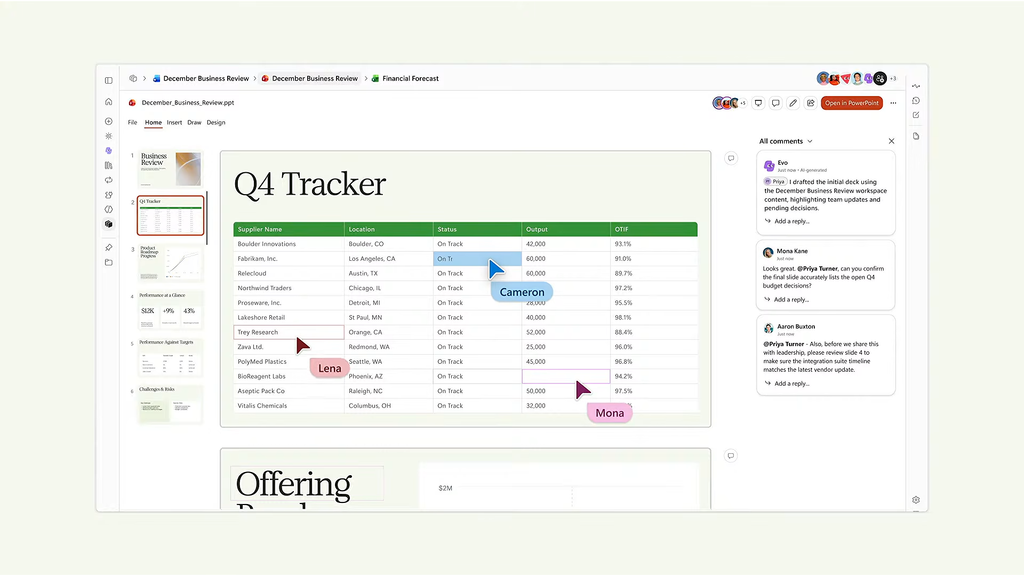
- Copilot Workspaces are shared spaces where employees and agents operate as one team on the same projects.
- Autopilot is a long-running agent that takes on recurring tasks and keeps projects moving without needing a prompt at every step.
- Copilot Code lets users describe dashboards, trackers and small apps in plain language and get working tools back, with enterprise security and governance applied by default.
- Office in Copilot and a new Today view round out what Microsoft calls the new Copilot.
Large customers are already rolling it out at scale. Volkswagen Group is bringing Copilot to more than 330,000 employees, while The Estée Lauder Companies has expanded access to over 14,000 people. Copilot is also reaching further into business systems such as Dynamics 365, and a Salesforce in Copilot plugin has entered preview with more than 38 pre-built sales skills.
Microsoft IQ aims to build organizational intelligence
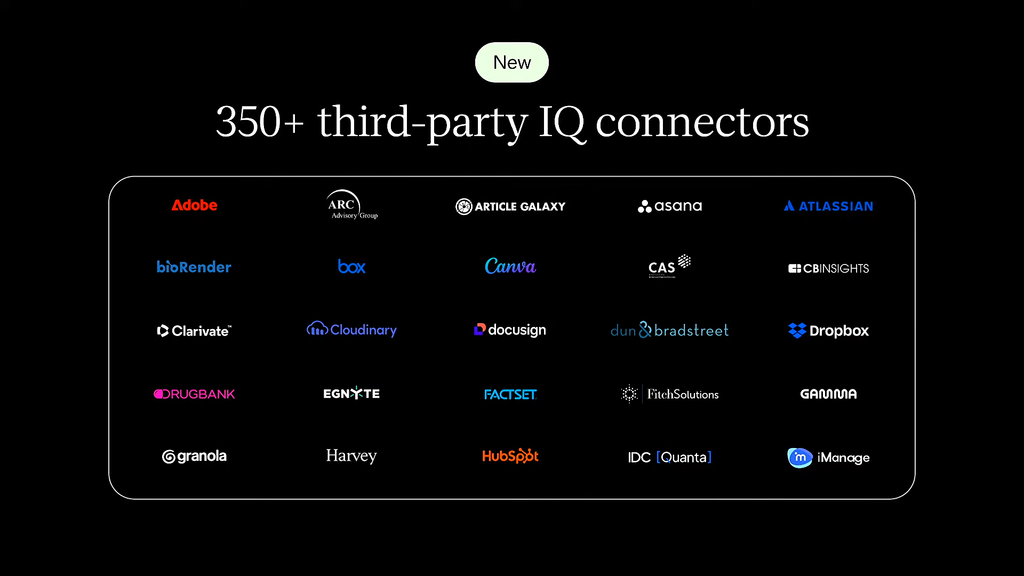
The second pillar is about giving companies control of their own knowledge. Microsoft IQ is a new enterprise context management platform designed to capture, govern and reuse business knowledge so that apps and agents can draw on it.
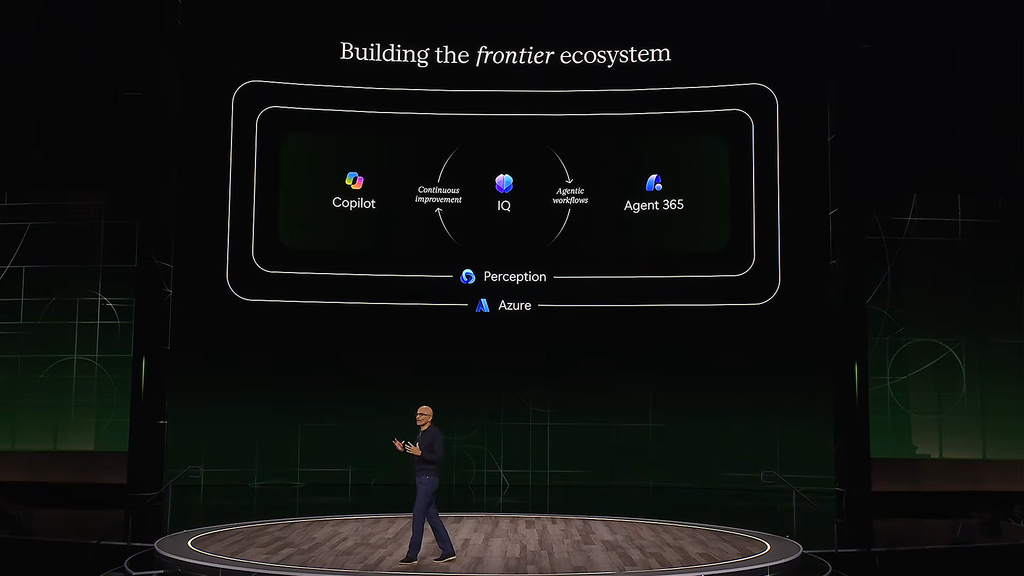
Alongside it, new business plugins let teams bundle their know-how into reusable context, skills and tools that can be shared across departments. Publicis Groupe is an early example. Its staff are building custom AI skills that pair Microsoft IQ with the agency’s own industry expertise and proprietary data, then testing those skills against real client scenarios.
Microsoft Foundry and new models
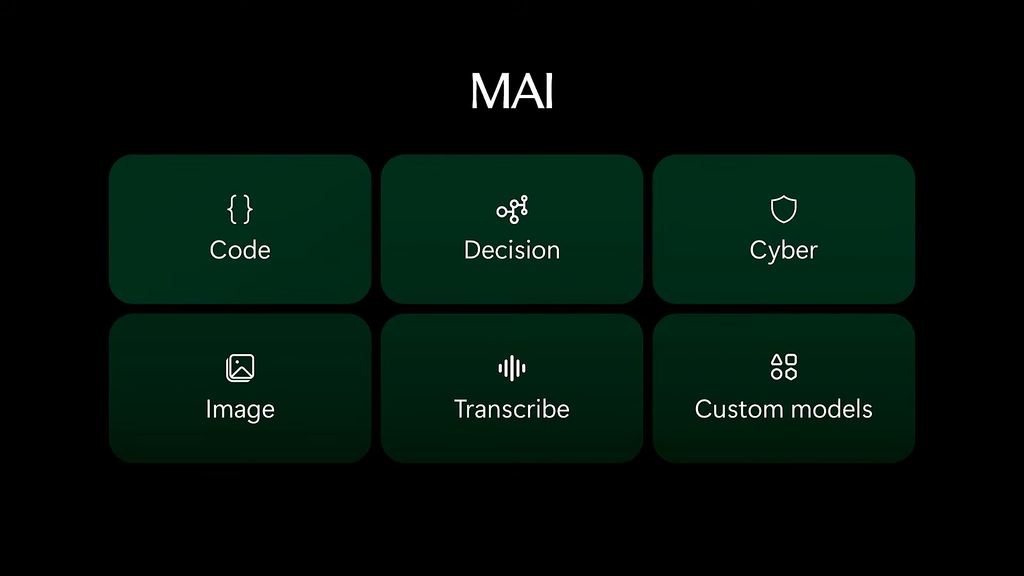
For developers, Microsoft Foundry gains continuous improvement tooling that can train models automatically from production signals, tuning for quality, latency and cost. Microsoft also announced new models for coding, cybersecurity, image and audio work. Microsoft-Decision-1.1 is now generally available as a fast, low-cost model for routing, classification, prioritization, verification and workflow control, the kind of behind-the-scenes decisions that multi-agent systems make constantly.
The race to own the enterprise AI model layer is crowded, and Microsoft’s approach contrasts with rivals like Google’s Gemini, which leans on a single flagship model family.
Trust through observability and security
As agents take on more work, Microsoft is putting heavy emphasis on keeping them observable and secure.
- Microsoft Perception is now generally available. It uses specialized agents to find, defend against and fix vulnerabilities, powered by models that include the MAI-Cyber line.
- Agent 365 Business Analytics shows leaders what their AI is costing and what it is delivering, with metrics such as task success rates and hours assisted.
- Windows agent protection adds operating-system-level controls, including Microsoft Execution Containers for tighter containment, built-in agent identity backed by Entra, and Agent 365 policies enforced on every device.
BNY is exploring Project Perception to strengthen its security and governance, building on its existing use of Defender, Entra and Purview. The bank also worked with Microsoft on what the companies describe as the first agentic negotiation of a U.S. Treasury trade.
Azure infrastructure built for AI
On the cloud side, Cobalt 200 virtual machines are now generally available, offering up to 50% better performance than the previous generation. Microsoft expects Cobalt to reach 23 regions by the end of the year and to make up a significant share of new Azure compute capacity in 2027.
Azure Catalyst combines Azure and GitHub agentic tools to help organizations modernize the applications, databases and infrastructure that AI workloads depend on.
Hybrid intelligence on Windows
Microsoft is also introducing hybrid intelligence on Windows, which lets AI workloads run either on the device or in the cloud. It starts with GitHub Copilot for coding and Copilot for everyday work. That builds on the on-device AI push that began with Copilot+ PCs powered by chips like the Qualcomm Snapdragon X Elite and AMD Ryzen AI 300 series.
What it means
Microsoft Ignite 2026 marks a shift from AI assistants that answer questions to agents that carry work forward on their own. Autopilot, Copilot Workspaces and Microsoft IQ handle the doing and the knowing, while Perception, Agent 365 and Windows agent protection try to answer the question every IT leader is asking, which is how to keep autonomous agents accountable. How quickly enterprises trust those agents with real work will decide whether this frontier ecosystem takes hold.
Source: Microsoft
